Cheap Breakout v2
- VITE
- REACT
- TYPESCRIPT
- TAILWINDCSS
- ZUSTAND
Table of Contents
Overview
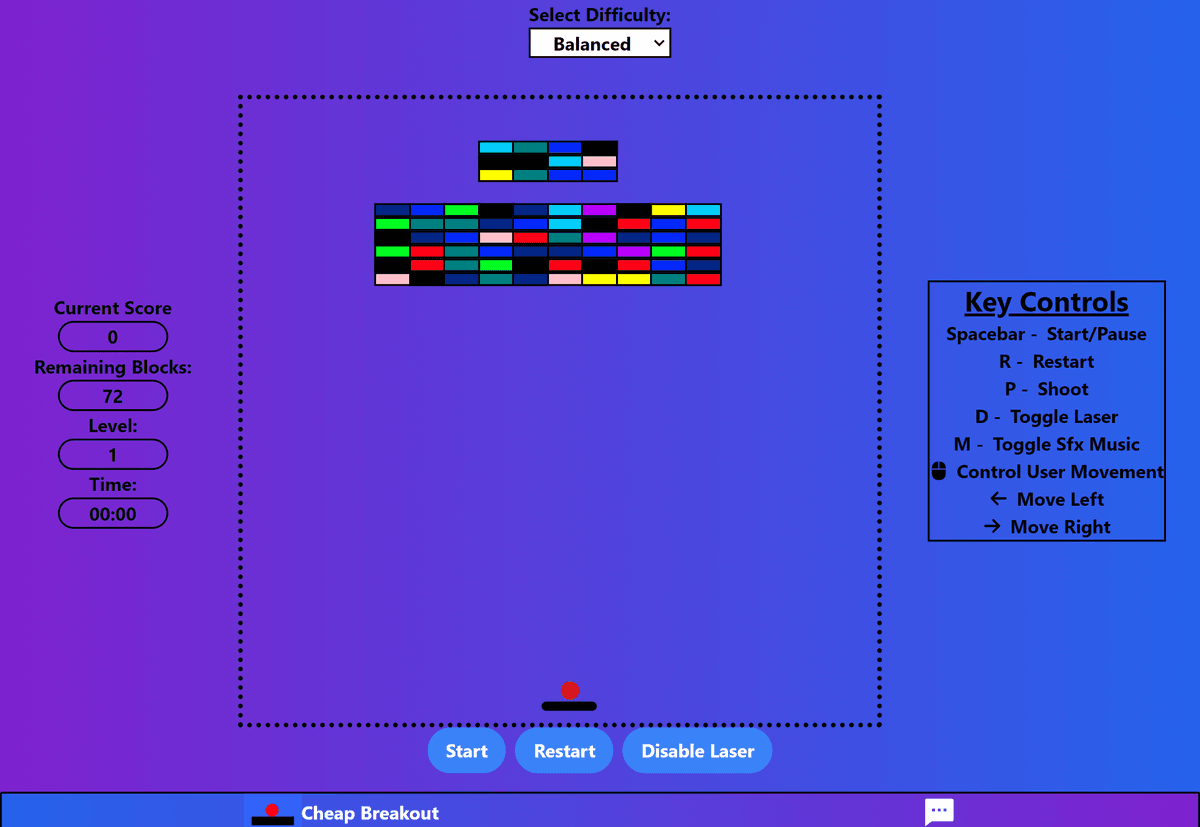
A cheap remake of Atari Breakout, a game with the goal of clearing all blocks without letting the ball hit the horizon. As the ball collides with the blocks, the block vanishes and the user earns points. The speed at which the ball moves can be adjusted by the difficulty setting. As a result, playing at a higher difficulty level allows the user to accumulate additional points. In addition, the user has an option to utilize a laser, tremondously assisting with game progression.
Development
This project was a remake of my First Project, which was created with the HTML, CSS, and JavaScript, the fundamentals of web development. However, I wanted to rebuild the project and take advantage of different technologies, thus enhancing my comprehension of concepts such as the advantages React offers over Vanilla Javascript. Futhermore, I intend to progressively improve upon the project and sought to incorporate industry leading technologies to assist me with iterative development .
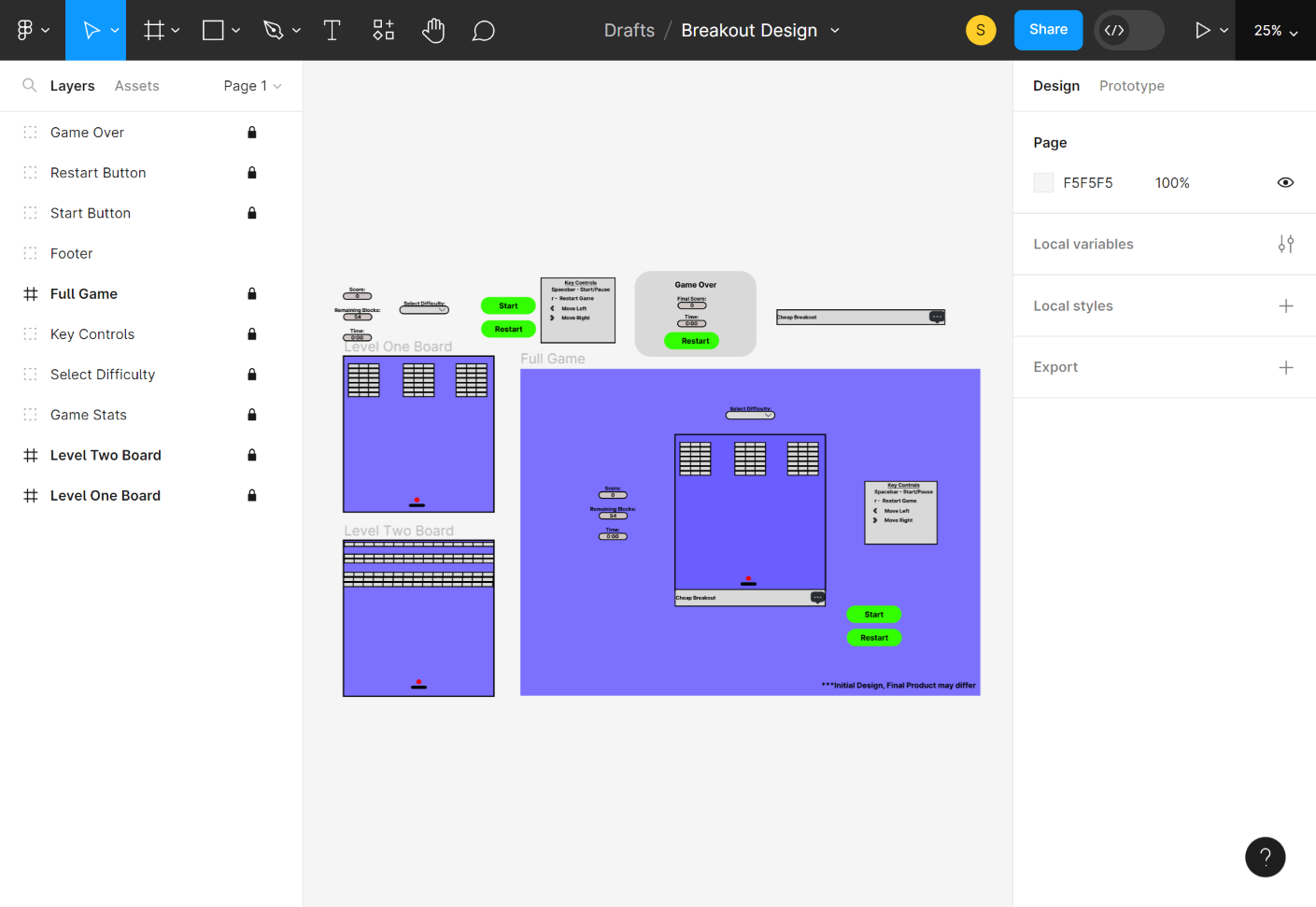
To begin, I created a basic wireframe using Figma as a reference for the intended design of the product. Throughout the developmental process, this design served as a blueprint for what I wanted the end product to achieve.
Tech stack
I employed React to take advantage of its inherent code splitting abilities, allowing me to keep the functionality of the game contained and organized.
I opted to use Vite as the build tool due to its simplicity in generating Single Page Applications and its ability to lauch a fast development server, ultimately decreasing development time.
I made the decision to use TypeScript over Javascript to stritcly state what value should be recived by each variable as I intend to imporve and build upon the project in the future. In addition, I wanted to take advantage of its static checking capabilities to catch errors with execution.
For styling, I used TailwindCSS to take advantage of its utility classes, enabling me to focus moreso on the functionality of the project.
I opted to use Zustand as the state managemnet tool primarily because I had no prior experience with the tool and sought to gain hands-on experience. In comparison with Redux, it required minimal boilerplate code and allowed me to facilitate state updates with ease.
Overall, leveraging these different technologies enabled me to create a well-organized application poised for seamless future updates.
Challenges
Overcoming React's One Way Data Flow
React is well known for having a one-way data flow paradigm, which allows the user create predictable, and more maintainable code as it is easier to trace state changes in the application. However, for this project I needed to embrace a directional data flow, so I can fetch and update state in a component that does not have a parent/child relationship. Utilizing Zustand allowed me to define state in one centralized location and fetch/update it at various points throughout the application.. Currently, the store is not optimized
Debugging
This project was primarily built with Typescript, which assisted with catching errors with execution, but not implementation. To "counter" this, I made heavy use of console.log which not only benefitted me with debugging, but allowed me to trace the flow of execution throughout the application. One of the problems I had faced during the developmental process was managing the gameBlocks array as it was rendered twice upon mount of the application. Taking advantage of console.log allowed me to catch and implement approriate countermeasures to address this issue.
Conclusion
Although the project was a rebuild of a previous project, it required many different countermeasures to allievate problems brought up by the migration, such taking advantage of Zustand to facilitate state updates across the application, utilizing the modern approach of Functional Components over Class Components, and debugging the code during the rebuild and integration of new features. Unlike the original, and using React, I was able to keep a cleaner code structure, facilitating smoother project enhancements. Ultimately, this project provided a significant opportunity for me to enhance my proficiency in React, contributing to the expansion of my front-end expertise. The knowledge and experience accquired will be prove to be beneficial in future projects.