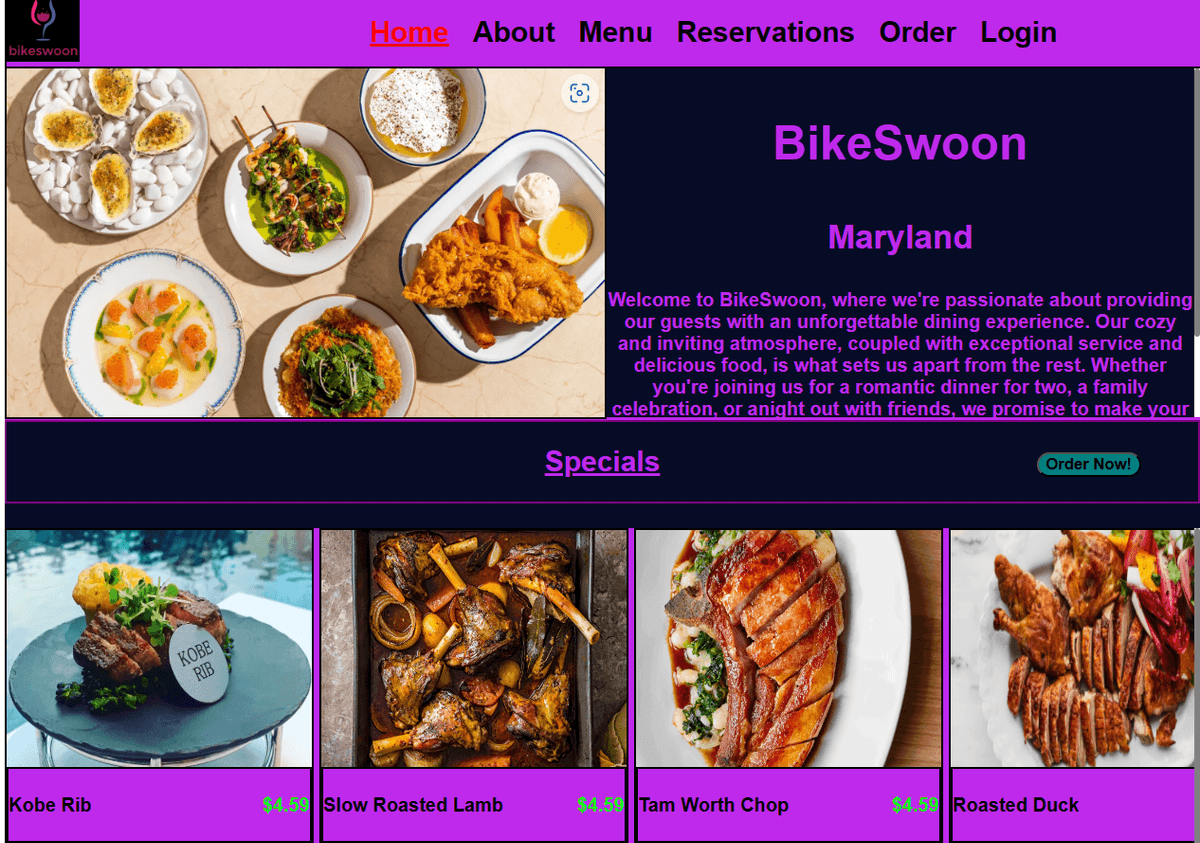
BikeSwoon
- VITE
- REACT
- JAVASCRIPT
- CSS MODULES
- REDUX
- FIREBASE
- VITEST
Table of Contents
Overview
A user-friendly, interactive web application that serves as a front-end interface for BikeSwoon, enabling customers to effortlessly view a psuedo brocheure. It provides users the ability to conveniently add their desired items to a virtual cart, allowing a seamless ordering experience. Additionally, the application offers the convenience of advance reservation submission, allowing customers to secure their dining plans ahead of time with ease. If the user chooses the login, this process is simplified at the form is filled with some of their data. Furthermore, users can access a variety of additional features upon logging in, including the ability to update or delete account information.
Development
Originally, this project was undertaken as a capstone project within the context of a course in which I was enrolled. The project specifications entailed the creation of a homepage featuring navigation links, as well as a reservation page designed to enable users to input personal information through a form. Upon submission, users would be directed to a booking confirmation page. I created an interactive prototype in Figma to serve as a visual representation of the project requirements.
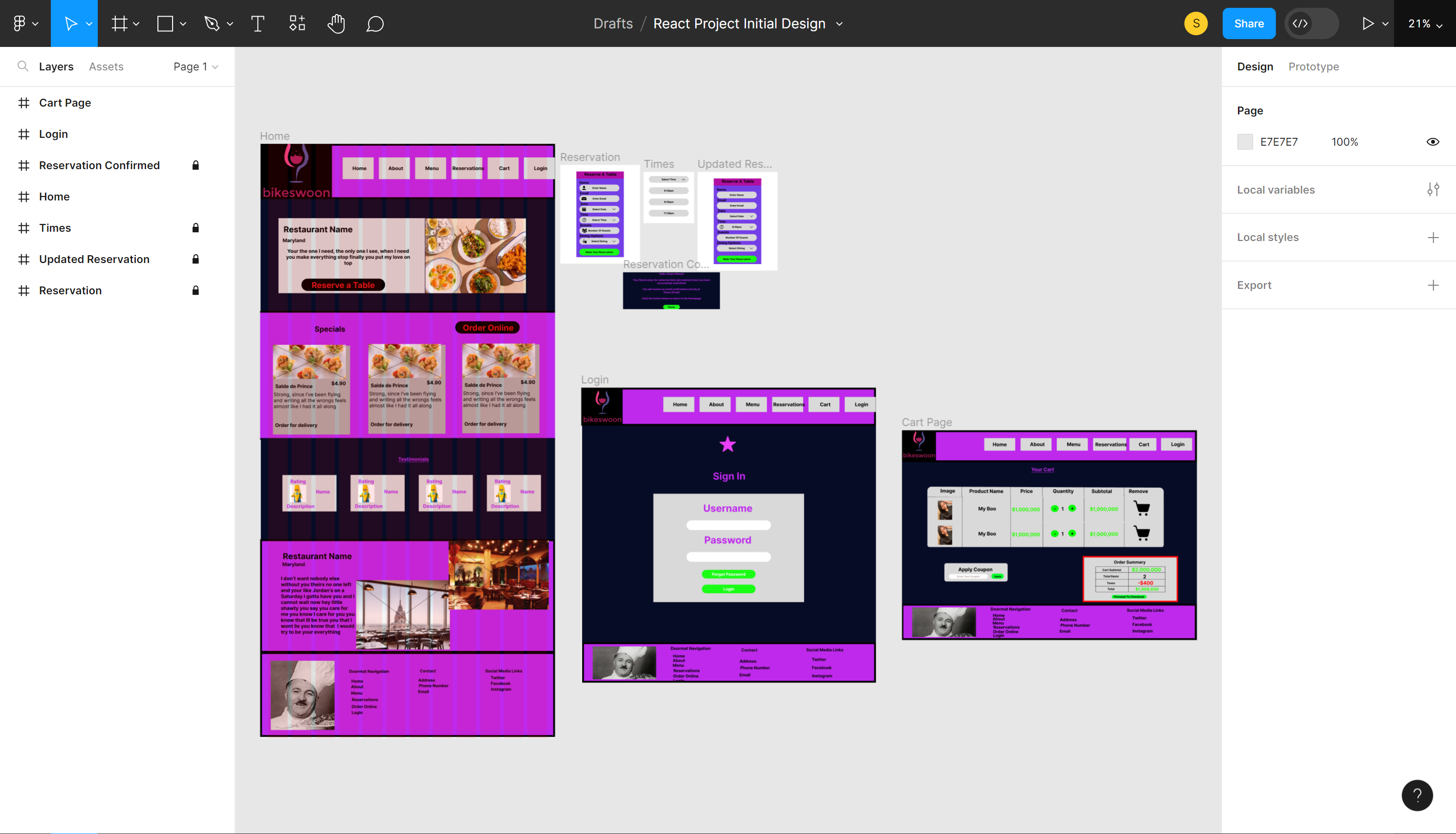 Following the completion of the initial assignment, I aspired to elevate the project to the status of a comprehensive capstone endeavor, wherein I could fully employ and demonstrate the proficiency acquired throughout my learning experience.
Tech stack
According to the initial assignment specifications, I implemented the application using React.
Initially, I developed the application using JavaScript. However, I decided to leverage TypeScript for its capabilities of compile-time code checking. This allowed me to identify errors in my code in the development process, leading to safer and more efficient code refactoring and ultimately improving project maintainability.
To optimize the development process and achieve faster startup times, I opted for Vite as the build tool, leveraging its efficient development server capabilities.
For effective state management in the shopping cart functionality, I utilized Redux, ensuring seamless viability across the application. The cart's state is persisted across application reloads by utilizing local storage.
To enhance code maintainability during iterative development and minimize class name conflicts, I employed Module-Based CSS Files.
I opted to utilize Firebase, taking advantage of serveral features such as Authentication, Firestore for database managment, and Firebase Cloud Storage, giving the user the option to update their profile image.
For testing, I utilized Vitest, primairly since I used Vite as the build tool for this project and Vitest is optimized for usage with Vite. I extended the testing utility with React-Testing-Library to elevate DOM testing capabilities.
In addition, I took advantage of serveral popular libraries such as React-Hook-Form to improve code quality for form validation.
Challenges
Migration To Vite
This project was originally developed using CRA (Create React App). However, as I stayed updated with the latest trends in the development community, I came to the realization that CRA was no longer the most optimal choice for building a React application. Therefore, I made the decision to adopt Vite as my preferred build tool due to its reputation for being a faster alternative.
While working on this project, I did not fully exploit the extensive capabilities offered by Vite. My primary intention was to leverage a more modern build tool to construct my website. Despite this, the migration process proved to be successful.
Testing
Following the migration from CRA to Vite, my test files broke down. The primary reason for this was that my original test was made with a combination of Jest and React-Testing-Library, which was not automatically supported in a Vite build environment. My attempts to overcome this challenge led me to becoming stuck in a loop of errors, prompting me to continiously set the task aside in order to concentrate on introducing new features to the application.
One of the more time-consuming errors was, TypeError: Cannot destructure property 'basename' of 'React__namespace.useContext(...)' as it is null. My attempts to understand/ resolve this error proved to be unproductive, so I decided the quickest way to get answers was to rely on community support. Although it didn't specifically match what I was looking for, I found answers online that led me to a solution that would fit my needs. This solution involved employing Memory Router from the react-router-dom library, enabling me to have full control over the history stack and prevent the variables used within the useContext from becoming null in my test files.
Ultimately, Integrating testing into the application has enabled me to streamline the manual testing process before deployment, guaranteeing the effectiveness of the elements being tested. Going forward, I aim to expand my testing suite to improve code coverage.
Integrating Firebase
Originally, my decision to integrate Firebase into the application was driven by my desire to add user authentication to the application. However, I soon realized that Firebase had offered broader functionalities and I wanted to take advantage of these features. I leveraged Firestore for efficient database management and utilized Firebases Cloud Storage for storing images used within the application. Since I added a FireStore to the application, I would need to fetch data to use it in my application, so I employed Tanstack Query(ReactQuery) to handle the data fetching process.
After doing so, I managed to synchronize the database and give the users the option to update their profiles, maintaining a separate collection to record each individual account creation.
One of the more notable challenges I encountered while working with Firebase involved updating sensitive actions, such as the password or email associated with the account and user account deletions. The documentation offered by firebase made note of this problem, but did not exactly offer comprehensive guidance for overcoming this hurdle. I found a solution online involving firebase’s EmailAuthProvider object, which was absent from the official documentation.
In conclusion, leveraging Firebase’s built-in methods helped to facilitate the integration of CRUD(Create, Read, Update, Delete) operations within the application. In the future, I hope to explore deeper the vast array of features Firebase has to offer.
Conclusion
In conclusion, this project served as a valuable platform for me to apply and validate the Front-End techniques I acquired throughout my course enrollment. It not only allowed me to solidify my existing knowledge but also served as a catalyst for further exploration and learning in the field. By engaging in this project, I was able to broaden my skillset and gain hands-on experience, ultimately paving the way for continuous growth and advancement.